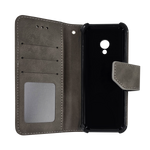
Activating your new phone should feel simple and stress-free. Kosher Qin Phone devices are designed to work seamlessly with our mobile plans and SIM cards, allowing most users to get connected quickly without complicated setup steps.
This step-by-step guide explains exactly how to activate your Kosher Qin Phone, what to expect during the process, and how to avoid common activation issues.
What You’ll Need Before You Start
Before beginning activation, make sure you have everything ready. Each Kosher Qin Phone order includes a SIM card unless otherwise noted.
You will need:
-
Your Kosher Qin Phone device
-
The included SIM card
-
An active Kosher Qin Phone mobile plan
-
Access to a T-Mobile or T-Mobile-based network
Activation will not work on Verizon, AT&T, or other non-T-Mobile carriers.
Step 1: Power Off the Phone
Before inserting the SIM card, turn the phone completely off. This helps the device recognize the SIM properly once it is installed.
Powering off the phone first can prevent activation delays or signal issues later in the process.
Step 2: Insert the SIM Card
Use the SIM eject tool (or a small pin) to open the SIM tray. Place the SIM card securely into the tray, making sure it is positioned correctly.
Once inserted, gently close the tray and ensure it sits flush with the phone.
Step 3: Power On the Device
Turn the phone back on and allow it to boot fully. The phone will automatically begin detecting the network once powered on.
Because Kosher Qin Phones run on a custom Kosher OS, startup is streamlined and does not include unnecessary prompts or app setup.
Step 4: Complete Initial Setup
Follow the on-screen instructions to complete the basic setup process. This may include selecting language preferences and confirming device settings.
Unlike standard smartphones, there is no app store login or account syncing required, making setup faster and simpler.
Step 5: Mobile Plan Activation
If you selected a mobile plan at checkout, activation usually happens automatically once the phone connects to the network.
In some cases, activation may take a short period to complete. If service does not activate immediately, wait a few minutes and restart the phone.
Step 6: Test Calling and Texting
Once activation is complete, place a test call and send a text message. This confirms that talk and text services are working correctly.
If calling or texting does not work right away, allow the phone additional time to register on the network, then restart and try again.
Common Activation Issues and Simple Fixes
Most activation issues are minor and temporary. The most common causes include:
-
Powering on the phone before the SIM was fully provisioned
-
Using a non-supported carrier
-
Needing a simple restart
If issues persist, customer support can usually resolve them quickly.
When to Contact Support
If your phone does not activate after following all steps, our support team is happy to help. Activation issues are often resolved with a quick check of your SIM and plan status.
You can reach support via email, call/text, live chat, or support ticket.
Why Activation Is Simple With Kosher Qin Phone
Kosher Qin Phone activation is designed to be consistent and predictable. Because devices, SIM cards, and plans are built to work together, most users are fully connected within minutes.
This simplicity is especially helpful for parents, teens, and first-time users.
Getting Started With Confidence
Once activated, your Kosher Qin Phone is ready for daily use. You can enjoy reliable communication, controlled features, and a distraction-free experience right away.
Taking a few careful steps during activation helps ensure everything works smoothly from the start.